






How to Extend the Life of Your Office Printer: Simple Maintenance Tips to Avoid Emergency Repair Calls
Does your office printer sometimes feel like a ticking time bomb, poised to break down at the most inconvenient moment?
Are you tired of unexpected paper jams, faded prints, or mysterious error messages that bring your workday to a halt?
We’ve all been there! A printer that consistently malfunctions isn't just annoying; it's a drain on productivity and, ultimately, your budget.
Replacing an office printer can be a significant investment for any small business. What if there was a way to push that replacement date further into the future, ensuring your current machine runs smoothly for years to come? With a few simple, proactive maintenance steps, you can significantly extend the lifespan of your office printer and minimize those frustrating emergency repair calls.
1. The Power of Cleanliness: Inside and Out
Dust is the enemy of electronics, and printers are no exception.
- External Wipe-Down: Regularly wipe down the exterior of your printer with a microfiber cloth to prevent dust from entering vents and crevices.
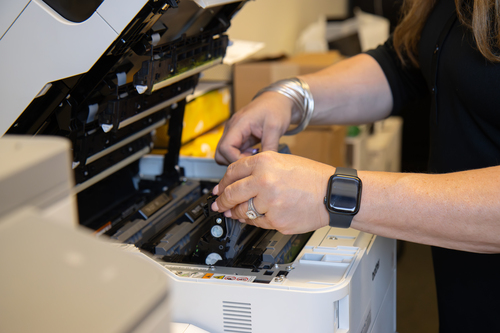
- Internal Cleaning: Consult your printer's manual for instructions on how to clean internal components. This often involves wiping rollers (with a lint-free cloth dampened with distilled water, if recommended), clearing paper dust, and cleaning print heads (for inkjet) or the drum unit (for laser) if accessible. A can of compressed air can be useful for blowing out dust, but always use it gently and hold the can upright.
2. Use Quality Supplies (It Really Does Matter!)
This is where MCS shines!
- High-Quality Toner/Ink: Bargain-basement cartridges might seem appealing, but they can clog print heads, leak, and even damage internal components over time. We offer premium compatible toner and ink cartridges that meet or exceed OEM standards, backed by a lifetime guarantee. This means reliable performance without the premium price tag, protecting your printer from avoidable damage.
- Appropriate Paper: Using paper that is too thin, too thick, or improperly stored (e.g., in a humid environment) can lead to frequent paper jams, roller wear, and poor print quality. Always use the recommended paper type and weight for your printer, and store paper in a dry, cool place.
3. Don't Overload the Tray
While it's tempting to fill the paper tray to its absolute maximum, overloading can cause paper jams and put unnecessary strain on the paper feeding mechanism. Stick to the recommended capacity, usually indicated by a fill line inside the tray.
4. Proper Shutdown Procedures
Resist the urge to simply unplug your printer or turn off the power strip when you're done for the day. Printers, especially inkjets, often perform internal cleaning cycles or park print heads when properly shut down using their power button. This prevents ink from drying out and maintains the longevity of moving parts.
5. Regular Firmware Updates
Just like your computer or smartphone, printers often receive firmware updates from manufacturers. These updates can improve performance, fix bugs, and enhance compatibility. Check your printer manufacturer's website periodically for available updates and follow their instructions for installation.
6. Consider a Surge Protector
An unexpected power surge can wreak havoc on electronic devices. Plugging your printer into a quality surge protector can safeguard it from electrical spikes, extending its life and protecting your investment.
By adopting these simple maintenance habits and choosing reliable printer supplies from your trusted partner in Brighton, you can keep your office printer running smoothly, efficiently, and reliably for years to come. Fewer breakdowns mean more productivity and less unexpected spending – a win-win for your Michigan business! Give us a call today to see how we can help you!